How to Add Custom GPTs to Your Website?
Want to add a Custom GPT to your website? Learn how pagergpt makes it easy to train and embed GPTs for a more personalized experience for website visitors.


It’s been almost a year since OpenAI introduced Custom GPTs a no-code way to build personalized versions of ChatGPT tailored to specific tasks. Since then, businesses across industries have been training GPTs on their own data to answer customer queries, assist with sales, and streamline internal operations.
If you’ve built one of these bots, chances are you were impressed by how well it understood your tone, data, and business context. Now you want to take it a step further:
You want to embed or add that custom GPT into your website so it can actually engage your visitors, answer questions in real time, and enhance the user experience.
Well, here’s the catch you can’t embed custom GPTs directly on your website.
That’s where pagergpt comes in as a solution.
In this blog, we’ve covered the limitations of OpenAI’s Custom GPTs, the benefits of adding custom GPT to your website, and how pagergpt makes it possible to embed custom GPT into your website without coding.
What are the Limitations of OpenAI’s Custom GPTs?
Basically, GPTs are customized chatbots you build on ChatGPT under the “My GPTs” section without any coding. But you'll face several challenges if you're trying to use these bots for your business:
No built-in API for website embedding
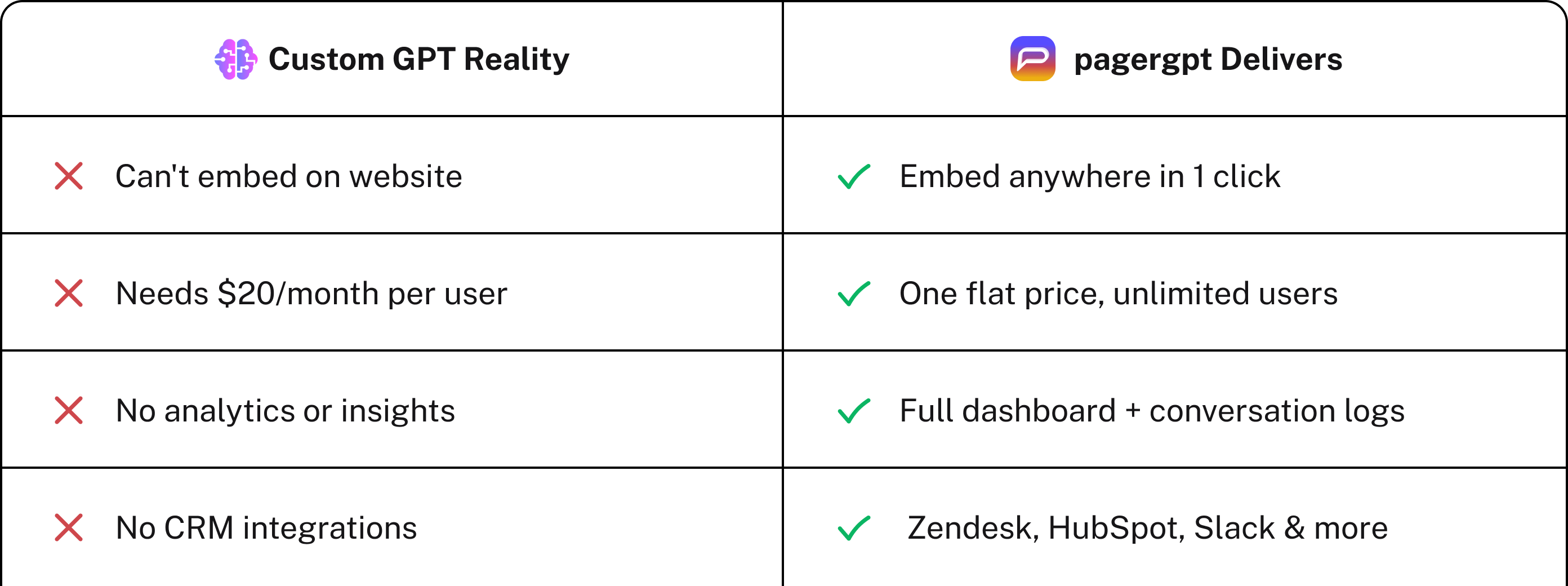
Custom GPT built on ChatGPT can’t be added to your website. This means your users must leave your site and log into ChatGPT to interact with your GPT bot. This breaks the customer journey, creates friction, and significantly reduces the usability of your custom GPT.
Sure, you could use the OpenAI API to build a chatbot that runs on your site, but that comes with its own challenges. Unlike the no-code Custom GPT builder, the API requires technical know-how. You’ll need developers to handle the integration, build the front-end chat interface, manage API keys, and maintain the system over time.
Plus, you’ll also have ongoing expenses for managing infrastructure, security, and scaling.
Access barrier
Users need a ChatGPT Plus subscription to interact with your Custom GPT, costing around $20/month. Expecting your customers to subscribe to an external platform just to use your chatbot isn't practical.
This access barrier creates friction, limits adoption, and makes scaling your GPT for customer-facing use cases nearly impossible.
No integrations with your existing tech stack
Custom GPTs are hosted directly on ChatGPT’s platform and lack straightforward integration capabilities with your existing tech stack, including CRM, helpdesk platforms, and internal databases.
This limitation means your chatbot won’t easily fetch live customer information such as past orders, account details, or previous interactions to provide context-aware support that your customers expect.
Limited control over branding and interface
Custom GPTs do not support comprehensive branding elements like unique visual styles or personalized user interfaces.
The chatbot resides within ChatGPT’s standardized UI, making it challenging to maintain a consistent customer-facing experience aligned with your brand.
No analytics or insight into usage
Custom GPTs do not include analytics or performance-tracking features. Unlike dedicated chatbot platforms, they don't offer detailed user-interaction insights, analytics dashboards, or reports on common questions, customer satisfaction scores, or interaction outcomes.
Without this visibility, you can’t tell what’s working, what’s missing, or how to improve the customer experience over time.
Potential data security risks
Using Custom GPTs comes with the risk of exposing sensitive business information. By default, OpenAI may store and analyze conversations to improve its models, which means any proprietary insights, internal support guidelines, or product details you upload could become part of a larger training dataset.
Without strict control over what’s being shared, sensitive information could unintentionally be accessed or used in ways you didn’t intend. If security and privacy are top priorities, it’s best to be cautious about what data you feed into a Custom GPT.
Tired of ChatGPT's limitations?
Deploy your branded AI agent in 10 minutes, No Credit Card needed.
Create your AI Agent now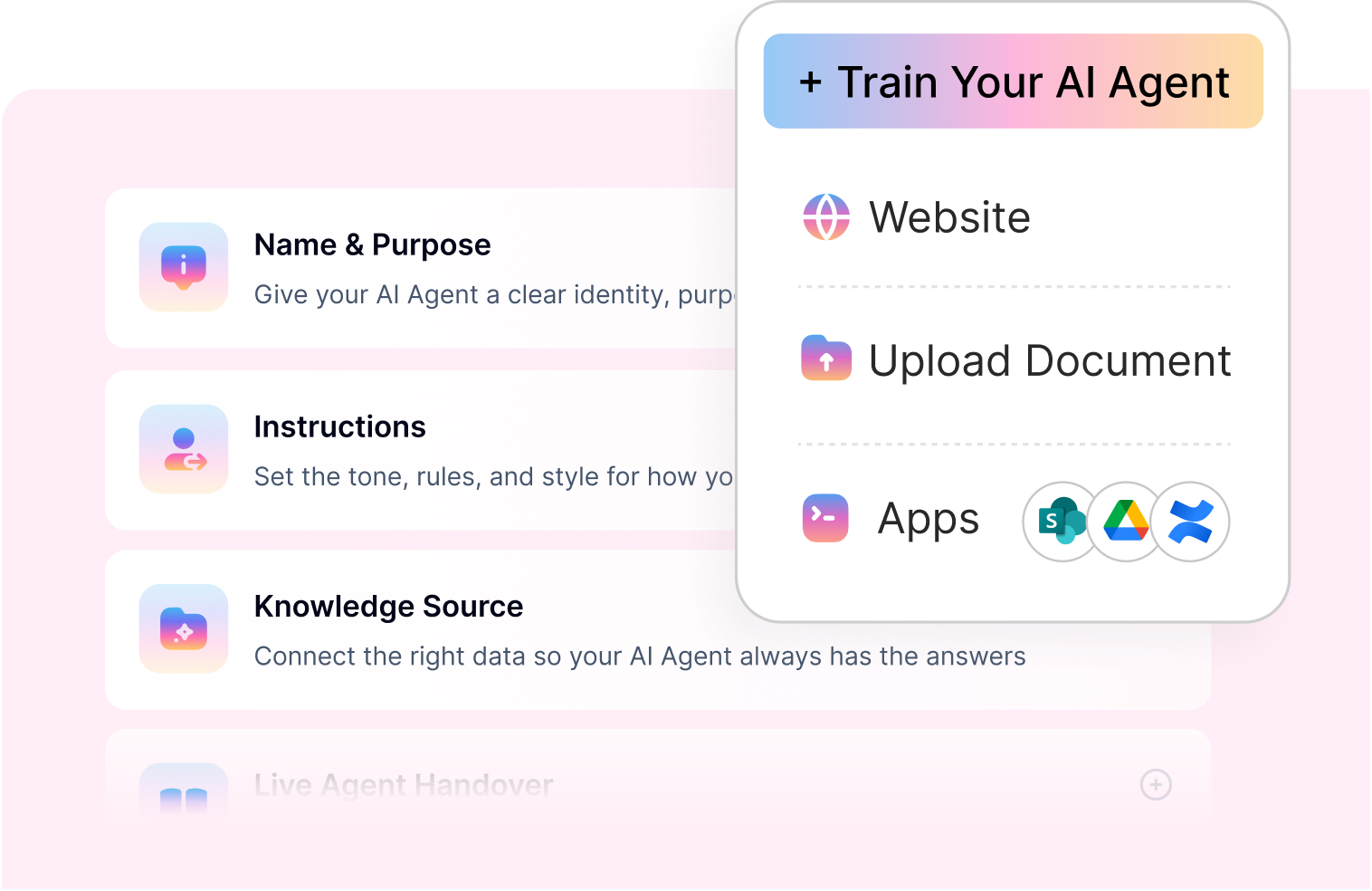
What are the benefits of adding a Custom GPT to your website?
For a long time, customers have been frustrated by the effort it takes to contact customer support for a simple query, finding basic information about your company by navigating your website. The time to value is just too high. So adding custom GPTs to your website would help you significantly. Here’s how:
24/7 customer support
With a Custom GPT on your website, customers no longer have to endure long waits or sift through multiple pages just to find basic information.
For example, if someone wants details about your refund policy, instead of scrolling through endless FAQs or waiting on hold, they simply chat with your GPT bot right on your site and receive immediate answers.
Personalized user experiences
A custom GPT trained on your business data knows your voice, products, and workflows. This helps personalize each interaction and provides consistent support for each customer.
When customers browse your website, the chatbot can help them by answering questions along the way. If a visitor is browsing your pricing page and asks, “Which plan is best for a small marketing agency?” The bot responds based on your positioning, customer segments, and value proposition.
Reduced operational costs
Let’s say 40% of your support tickets are about password resets, refund windows, or account upgrades. Your GPT bot can handle these queries autonomously, cutting your response volume and cost-per-ticket to a great extent.
This also reduces your team's workload and frees them to focus on resolving more important support tickets.
Improved lead generation and data collection
You have hundreds of website visitors every day. Most of them could be potential customers actively looking to buy. If you’re not collecting their data, you’re letting potential revenue and growth slip away easily.
A GPT chatbot actively engages with the customers, asks relevant questions, and collects valuable data such as company size, use case, or contact information. This will help you generate more marketing-qualified leads and keep your pipeline growing.
Better customer retention
Customers leave when they continuously have negative experiences with your company. In fact, a Zendesk study shows that over half of consumers will switch to a competitor after just one bad experience.
Adding a custom GPT on your website enables customers to get quick, accurate, and relevant help on the first try. Creating this kind of positive and low-effort experience goes a long way in earning customer trust and loyalty.
To unlock all these benefits, you need a way to bring your custom GPT to your site. Let’s introduce the tool that helps you do just that, pagergpt.

Join 500+ teams who ditched open-source complexity
Ready to unlock all 5 benefits on your website?
Try pagergpt FreeWhat is pagergpt?
pagergpt is a no-code AI Agent platform that allows you to quickly build custom GPT with agentic AI capabilities for your website, help documents, and knowledge base. The platform automates visitor interactions and handles customer questions, using information from your existing content, like web pages, documents, and apps.
Compared to ChatGPT’s custom GPT, you get way more flexibility with pagergpt. Your team can manage customer conversations from WhatsApp, Slack, and Microsoft Teams in one shared live inbox. The AI agent can handle casual conversations, execute workflows, collect feedback, and quickly transfer chats to your team.
How to add a Custom GPT to your website using pagergpt?
Now let’s walk through how to build and embed your AI agent using PagerGPT. The process is simple, flexible, and requires no technical expertise.
Here’s a step-by-step guide to getting your AI agent live.
Sign up for a pagergpt account
To get started, head to the pagergpt sign-up page. Just enter your email, set a password and username, and you’re in. There’s no credit card required, and you can explore the platform for free before committing to a paid plan.
Create an AI agent
After logging in, open the Agent Studio and click "Create AI Agent." Give your AI agent a name, and you'll be ready to start training.
Train your AI agent
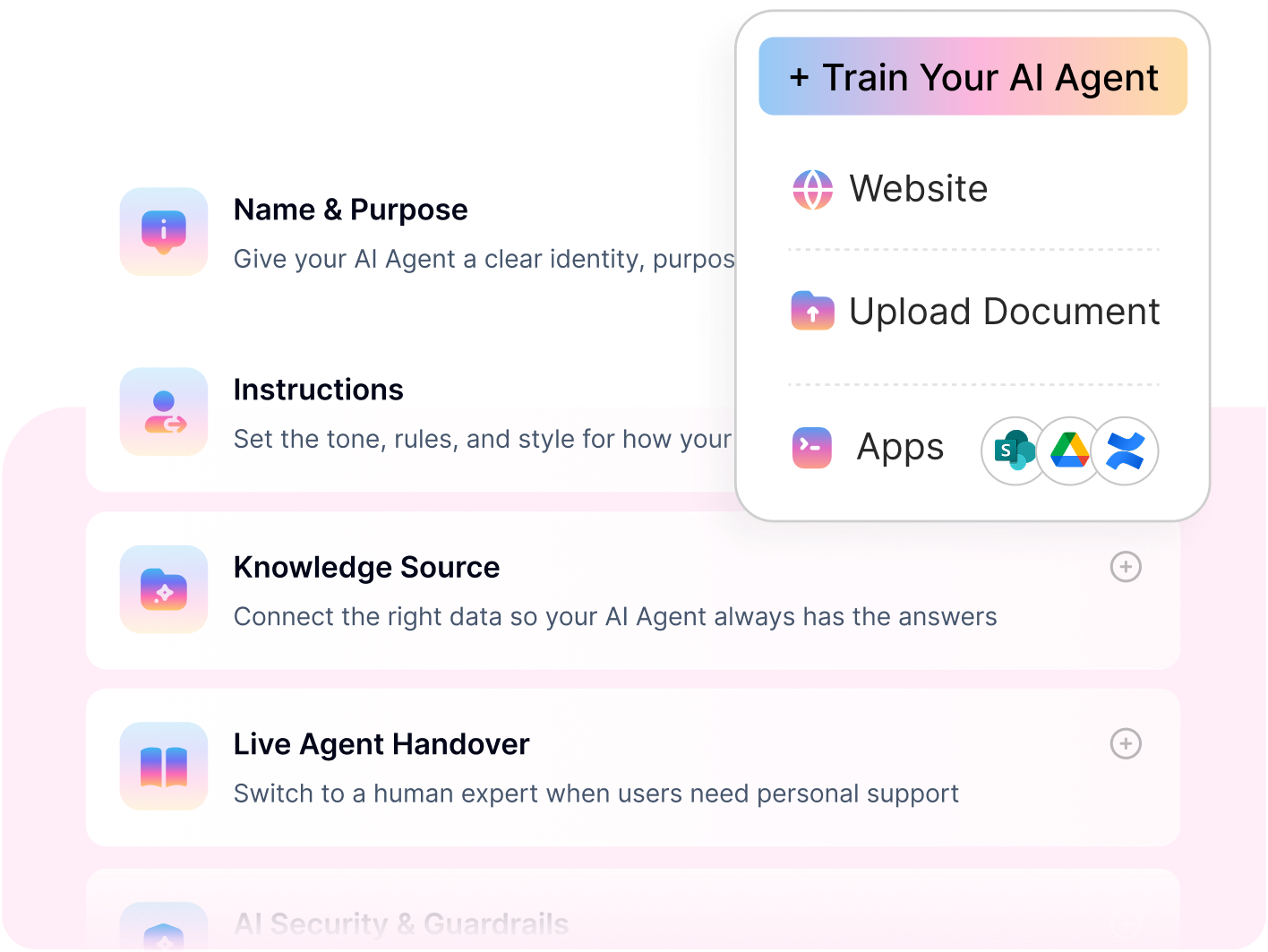
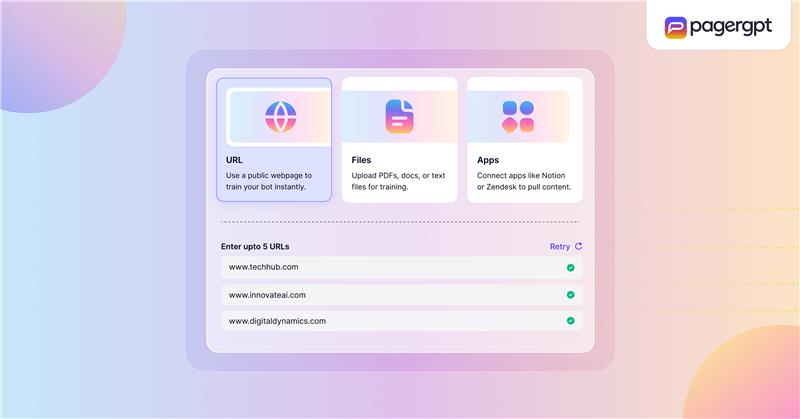
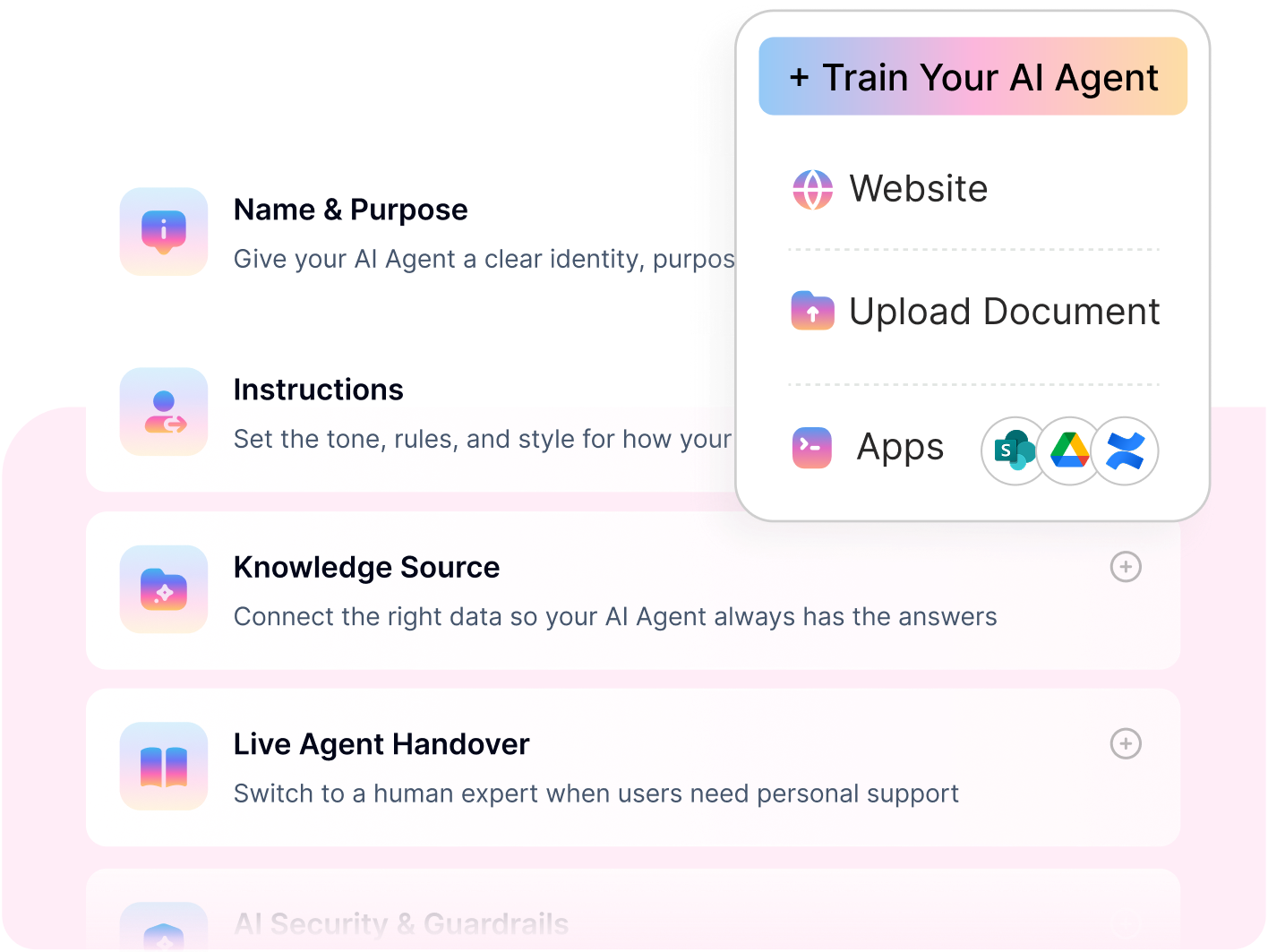
pagergpt lets you train your custom GPT on your own data. You can train on URLs, upload files, and connect your existing apps.
Train with ‘URLs’
Start by adding key URLs from your website. You can choose between two training levels:
Level 1: The AI agent learns only from the content of the exact webpage URL provided.
Level 2: The AI agent also fetches content from linked pages and subpages, allowing it to provide more complete answers.
For example, if you link to your product homepage, Level 2 will include subpages like features, pricing, and FAQs.
Upload files
Next, you can start uploading relevant files. pagergpt supports multiple file formats, such as PDF, HTML, DOCX, or PPTX, up to a generous 50 MB more than double ChatGPT’s 20 MB limit.
Simply drag and drop your files or select them from folders. The agent will automatically begin learning from this content.
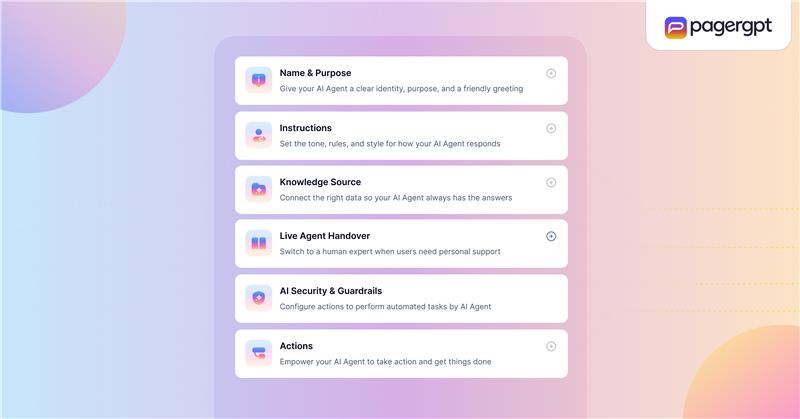
Create a knowledge source
Once you’ve named your AI agent, you can create, name, and describe your knowledge sources. This helps you organize your content by category or purpose, such as support docs, product pages, or onboarding guides.
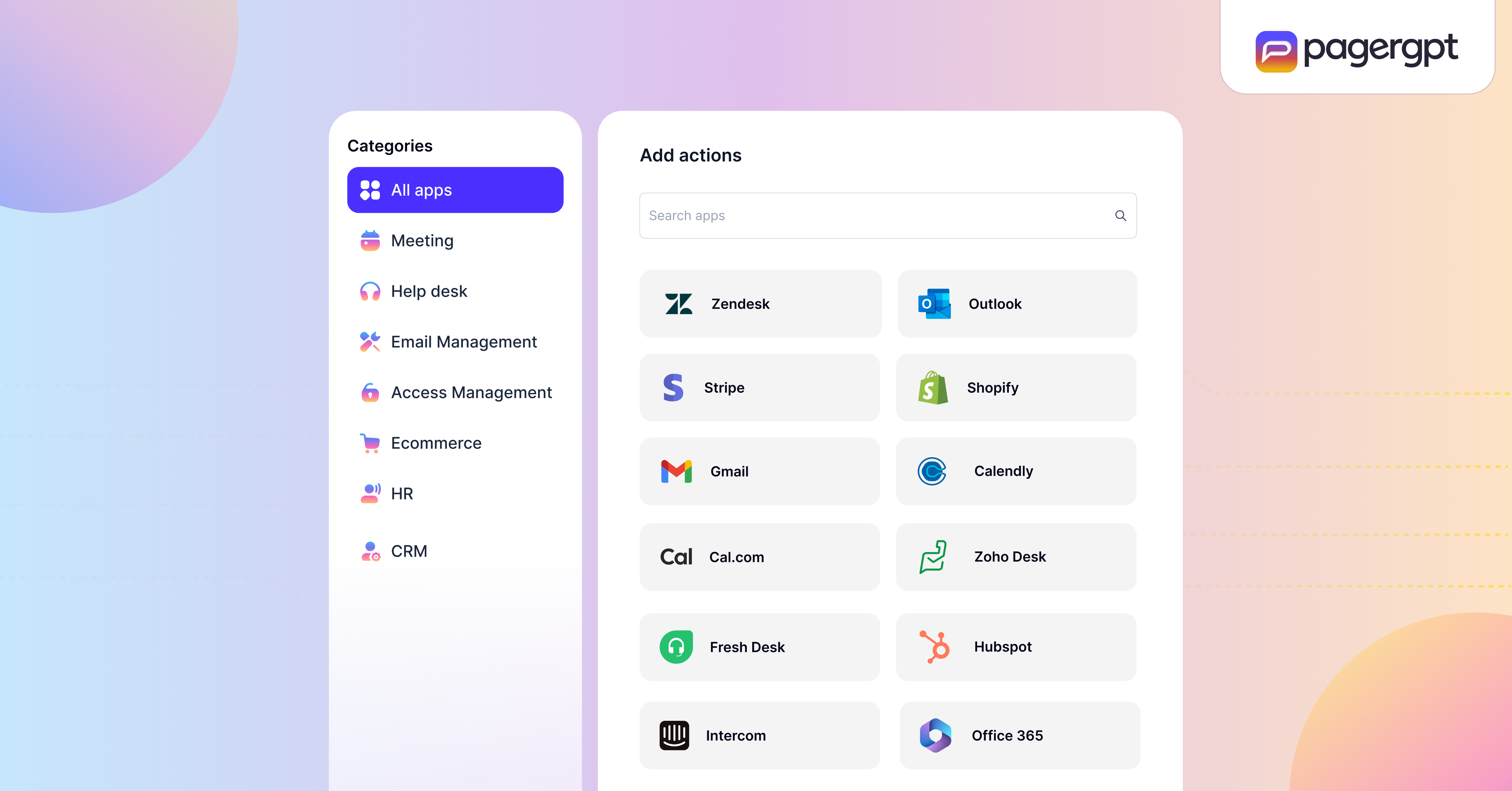
Connect with apps
You can also integrate your AI agent to various applications like Google Drive, SharePoint, and Freshservice, enabling the AI agent to fetch real-time information.
Customize and embed on your website
Once your AI agent is trained and tested, go to the Deploy tab and click “Add to website.” This is where you configure how the chatbot appears on your site.
Customize the chat widget
You’ll have complete control over the look and feel of the chatbot to match your brand. Here’s what you can configure:
Bot name and description: Add a short, clear description of what the AI agent does.
Branding: Upload your logo and choose widget colors that align with your brand’s visual identity.
Enable privacy and consent options
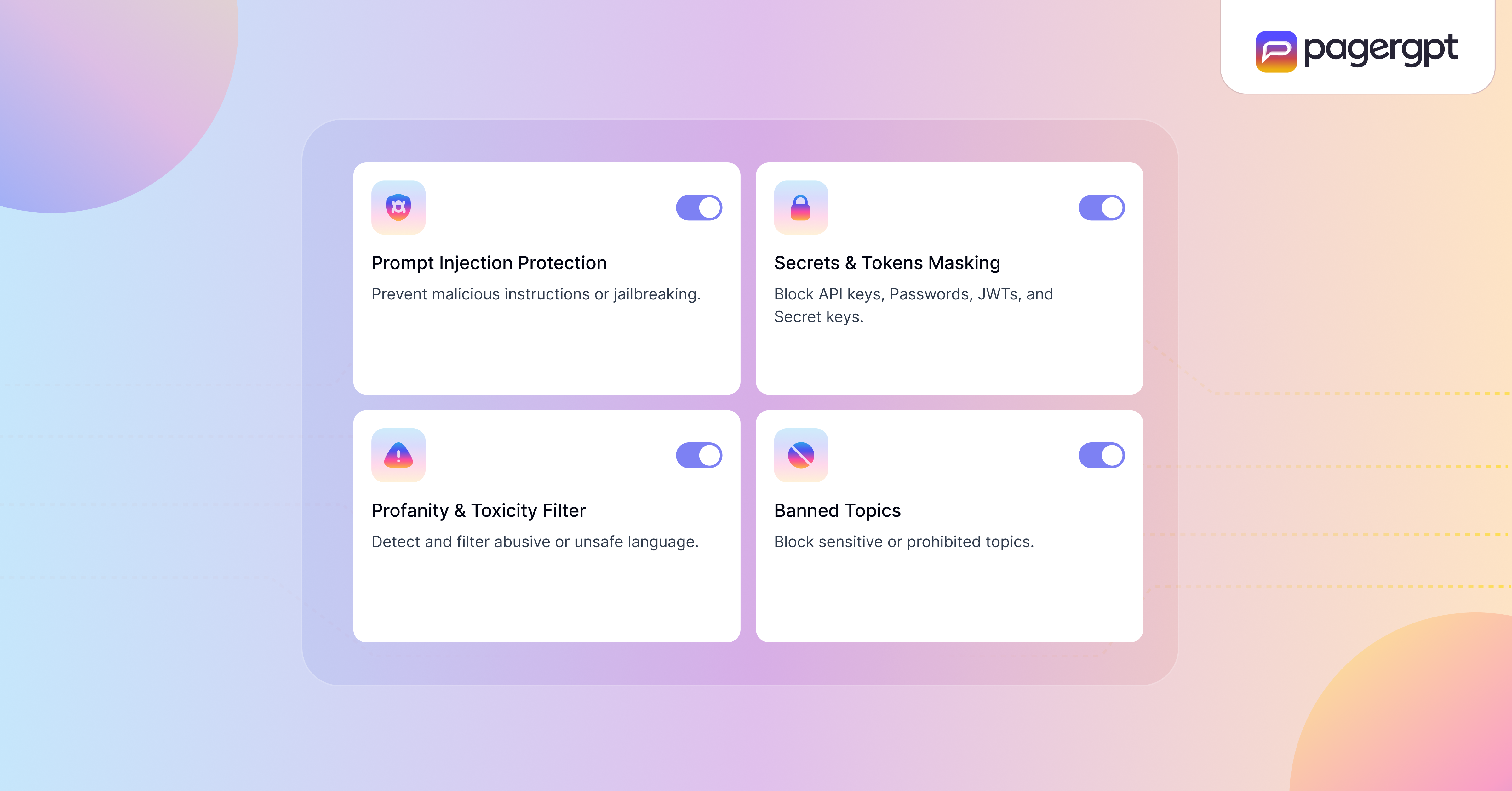
With pagergpt, you can enable privacy options like user consent and terms of use, which are important when collecting customer data.
Integrate the chatbot on your site

When everything looks right, simply copy the provided embed code and paste it into your website’s HTML. You can place it on any page where you want the chatbot to appear.
Following along? Build your free AI agent now
Create your agent instantly → No credit card, one-click training, all features included
Start building Agent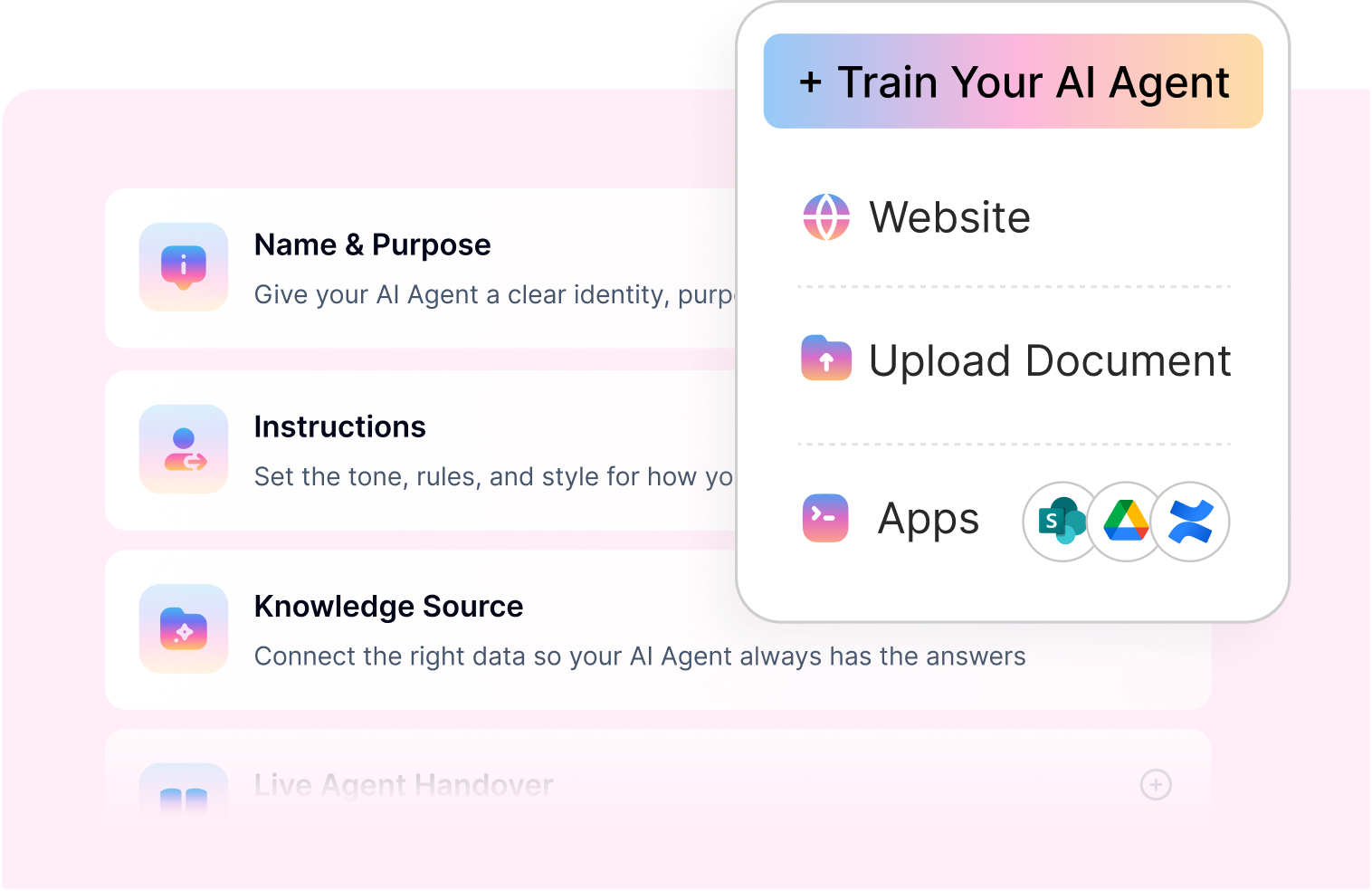
Getting Started With pagergpt
Adding a Custom GPT to your website shouldn’t require weeks of setup, complex coding or higher costs. With pagergpt, you can train an AI agent on your business content, customize it to match your brand, and embed it on your site in minutes.
Whether you want to automate support, capture more leads, or improve customer experience, pagergpt makes it happen.
Ready to experience smarter automation? Try pagergpt free or Book a demo now with our team.
FAQs
How to access custom GPTs?
Custom GPTs can be accessed through the ChatGPT website. You’ll need a ChatGPT Plus subscription to use or interact with them. Once created, your custom GPT is available under “Explore GPTs,” where you can test, update, or share it using a unique link.
Can I embed a custom GPT on a website?
No, Custom GPTs can’t be embedded directly into your website. They only work inside the ChatGPT platform.
What are the benefits of adding a custom GPT to my website?
Adding a custom GPT on your site offers instant, 24/7 support, improves user engagement, captures leads, and reduces support team workload.
It makes your site more interactive, shortens time-to-response, and creates a smoother, more helpful experience for your visitors.
Are there no-code platforms allowing custom GPTs to be embedded into websites?
Yes, platforms like pagergpt let you build and embed GPT-powered AI agents without coding. You can train the bot on your own content, customize its appearance, and deploy it on your website or other channels like Slack and WhatsApp in minutes.
Can I migrate my Custom GPT's training data to pagergpt?
Yes. If you've already trained a Custom GPT with specific documents or knowledge, you can upload the same files (PDFs, docs, URLs) to pagergpt to train your AI agent. pagergpt supports files up to 50 MB and can learn from the same content sources.
Will my AI agent have the same capabilities as my Custom GPT?
pagergpt's AI agents often provide more functionality for business use. While Custom GPTs are limited to the ChatGPT interface, pagergpt agents can be embedded on websites, integrate with tools like Stripe and Calendly, hand off to human agents, work across multiple channels (WhatsApp, Slack), and provide analytics—none of which Custom GPTs support.
How long does it take to build an AI agent with pagergpt compared to Custom GPT?
Building a Custom GPT in ChatGPT and an AI agent in pagergpt both take about 1 - 2 Hours. However, pagergpt includes additional setup for website embedding, branding customization, and integration configuration, which adds 10-15 minutes, results in a production-ready chatbot for your site.
Does pagergpt require technical knowledge like the OpenAI API does?
No. While using OpenAI's API to embed Custom GPT functionality requires developers, pagergpt is completely no-code. You can train your agent, customize its appearance, and embed it on your website by simply copying and pasting a code snippet—no programming required.
Do I need a ChatGPT Plus subscription to use pagergpt?
No. Unlike Custom GPTs which require ChatGPT Plus ($20/month per user), pagergpt operates independently. Your website visitors can interact with your AI agent without any ChatGPT account or subscription.
What's the difference between OpenAI's Custom GPT and pagergpt's AI agent?
Custom GPTs are built within ChatGPT's platform and can only be accessed there, they can't be embedded on websites. pagergpt's AI agents are purpose-built for websites and can be trained on your data, customized to your brand, and embedded directly on your site without requiring users to leave or have a ChatGPT subscription.
'%3e%3cpath%20d='M11.5732%2031.7068L19.2977%2022.7433L11.5732%2011.5366H17.4664L22.6245%2018.942L29.0522%2011.5366H30.7788L23.4029%2020.0985L31.4127%2031.7086H25.4997L20.1231%2023.9069L13.3197%2031.7068H11.5732ZM16.6519%2012.8366H13.9536L26.354%2030.4462H28.9926L28.8265%2030.1576L16.6519%2012.8366Z'%20fill='%230C0C0C'/%3e%3c/g%3e%3cdefs%3e%3cclipPath%20id='clip0_505_14364'%3e%3crect%20width='19.7681'%20height='20.2432'%20fill='white'%20transform='translate(11.573%2011.5365)'/%3e%3c/clipPath%3e%3c/defs%3e%3c/svg%3e)

'%3e%3cpath%20d='M25.2175%2011.7557L26.9132%2011.911V15.0496C26.0135%2015.1444%2024.1746%2014.7452%2023.5821%2015.5947C23.4908%2015.726%2023.3291%2016.1592%2023.3291%2016.3091V19.002H26.7392L26.3346%2022.5281H23.3291V31.5952H19.707V22.5863L19.649%2022.5281H16.6628V19.002H19.707C19.7813%2017.4024%2019.4664%2015.7042%2020.1132%2014.1986C20.6748%2012.8902%2021.7857%2012.0974%2023.1666%2011.8435L23.7151%2011.7557H25.2183H25.2175Z'%20fill='%230C0C0C'/%3e%3c/g%3e%3cdefs%3e%3cclipPath%20id='clip0_505_14375'%3e%3crect%20width='10.2695'%20height='19.8027'%20fill='white'%20transform='translate(16.658%2011.7567)'/%3e%3c/clipPath%3e%3c/defs%3e%3c/svg%3e)
About the Author
Narayani Iyear

Content Writer
Narayani is a content marketer and storyteller with a focus on digital transformation in the B2B SaaS space. She writes about enhancing employee and customer experiences through technology. A lifelong learner, she enjoys reading, crocheting, and volunteering in her free time.
Transform your customer support today
Deploy your AI Chatbot in 10 minutes.
- No credit card required
- Setup in minutes
- Cancel Anytime


